If You're Running OpenClaw, You May Want to Read This
A public watchboard has surfaced listing over 250,000 OpenClaw instances that are directly reachable from the internet. Some of these instances have leaked credentials. Many are running on infrastructure already flagged for known CVEs and threat actor activity.
This isn't theoretical. It's happening right now.
You can check the exposure list yourself at openclaw.allegro.earth.
Why This Is a Big Deal
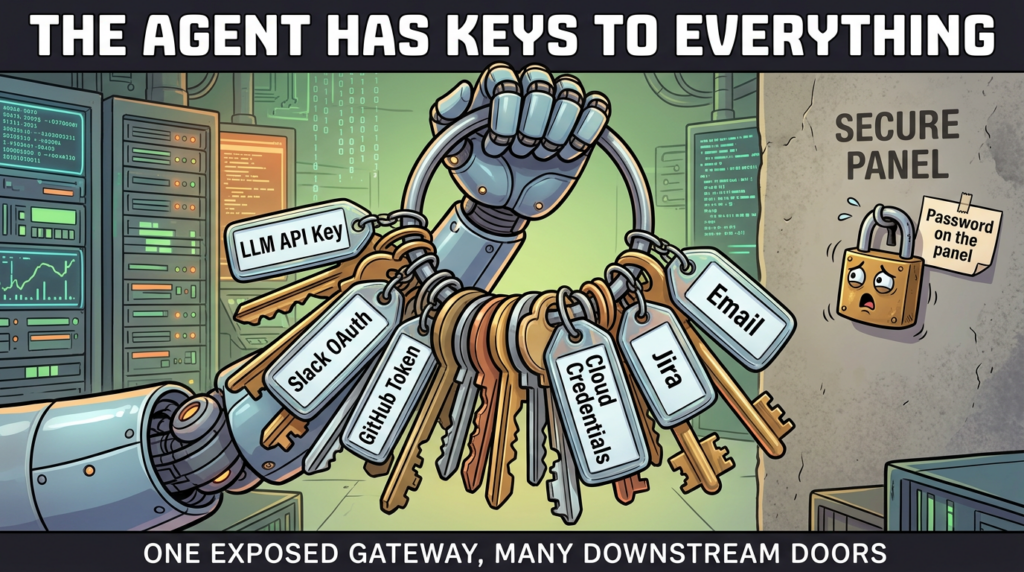
OpenClaw is a powerful AI agent framework. That power comes with serious responsibility. A typical OpenClaw deployment runs with:
- Personal API keys — OpenAI, Anthropic, Google, cloud provider credentials
- Broad system permissions — file access, shell execution, network requests
- Autonomous execution capabilities — the agent can act without human approval
- Complex codebases — large attack surfaces that haven't been fully audited
When one of these instances is publicly reachable without authentication, anyone on the internet can potentially:
- Extract API keys and credentials stored in the environment
- Execute arbitrary commands on the host machine
- Access personal files, emails, calendars, and messaging accounts
- Hijack automated workflows to send messages or make purchases
- Use the instance as a pivot point for lateral movement into other systems
This isn't a vulnerability in OpenClaw itself — it's a configuration problem. But the consequences are severe.
What the Exposure Data Shows
The watchboard at openclaw.allegro.earth reveals some concerning patterns:
- 250,000+ instances publicly reachable on the default port (18789)
- Instances spread across major cloud providers — Alibaba Cloud, AWS, Azure, GCP
- Multiple instances flagged with known CVEs on their host systems
- Some instances running on infrastructure associated with known threat actors (APT groups)
- Several instances showing leaked credentials
The data is being updated in near real-time, with the latest import showing fresh scans from today.
The Bigger Picture: AI Agents Expand the Attack Surface
Traditional software has a relatively bounded attack surface. A web server serves pages. A database stores data. The boundaries are well understood.
AI agents are different. They're designed to be general-purpose problem solvers with broad access to tools, APIs, and system resources. That's what makes them useful — and that's exactly what makes them dangerous when exposed.
Consider what a compromised AI agent can do that a compromised web server cannot:
- Reason about its environment — it can explore, discover credentials, and chain exploits
- Interact with external services — it can send emails, post on social media, make API calls
- Persist across sessions — it can modify its own configuration to maintain access
- Act convincingly as the owner — it can impersonate the user across connected platforms
This is a new class of risk that most security frameworks haven't caught up with yet.
How to Secure Your OpenClaw Instance
If you're running OpenClaw (or any AI agent framework), here's your checklist:
1. Never Expose Your Instance Directly to the Internet
Keep it behind a VPN, SSH tunnel, or at minimum, a reverse proxy with authentication. The default configuration should never be internet-facing.
2. Enable Authentication
If your instance must be remotely accessible, enforce authentication on every endpoint. Use strong, unique credentials. Consider mTLS for machine-to-machine communication.
3. Rotate Your API Keys
If your instance has been publicly reachable — even briefly — assume your API keys are compromised. Rotate them immediately. Check your billing dashboards for unexpected usage.
4. Apply the Principle of Least Privilege
Your AI agent doesn't need root access. It doesn't need access to every API. Scope permissions to exactly what's required and nothing more.
5. Monitor and Audit
Enable logging for all agent actions. Set up alerts for unusual activity — unexpected API calls, file access patterns, or outbound network connections.
6. Keep Everything Updated
Patch your host OS, update OpenClaw to the latest version, and keep dependencies current. Many of the exposed instances are running on systems with known, unpatched vulnerabilities.
Security Practices Need to Move as Fast as AI
The AI agent ecosystem is moving at breakneck speed. New frameworks, new capabilities, new integrations — every week brings something new. But security practices are lagging behind.
We're in a moment where the people building and deploying AI agents are often developers and researchers, not security engineers. That's understandable — but it means basic security hygiene is being overlooked.
250,000 exposed instances isn't just a statistic. Each one represents someone's API keys, someone's data, someone's infrastructure. And each one is a potential entry point for attackers who are increasingly sophisticated and motivated.
If you're experimenting with autonomous agents, take 10 minutes today to check your setup. It might be the most important thing you do this week.
Quick Reference: Security Checklist for AI Agent Deployments
- ✅ Instance behind VPN or authentication
- ✅ No dashboards or ports exposed publicly
- ✅ API keys rotated on a regular schedule
- ✅ Permissions scoped to minimum required
- ✅ Host OS and dependencies fully patched
- ✅ Action logging and monitoring enabled
- ✅ Regular security audits of agent configurations
The power of AI agents is real. So are the risks. Secure your infrastructure before someone else finds it first.
Comments
Post a Comment